Recent history is littered with high-profile security breaches that share a common, devastating attack vector: the compromise of privileged credentials. Incidents involving Microsoft’s Midnight Blizzard, Snowflake, and Okta’s support system all underscore how attackers target administrative accounts to gain deep, unauthorized access. One architectural decision could have mitigated, or even prevented, a significant percentage of these attacks: the implementation of Privileged Access Workstations (PAWs).
PAWs are dedicated, hardened machines used exclusively for sensitive administrative tasks. This model creates a critical “air gap” between high-risk daily activities (like checking email or browsing the web) and the management of critical infrastructure. By isolating privileged sessions, organizations can drastically reduce the attack surface and prevent credential theft, a foundational tactic for lateral movement within a network. This post breaks down the PAW model and its relevance in a modern Zero Trust world.
The Core Concept: A Tiered Model of Trust
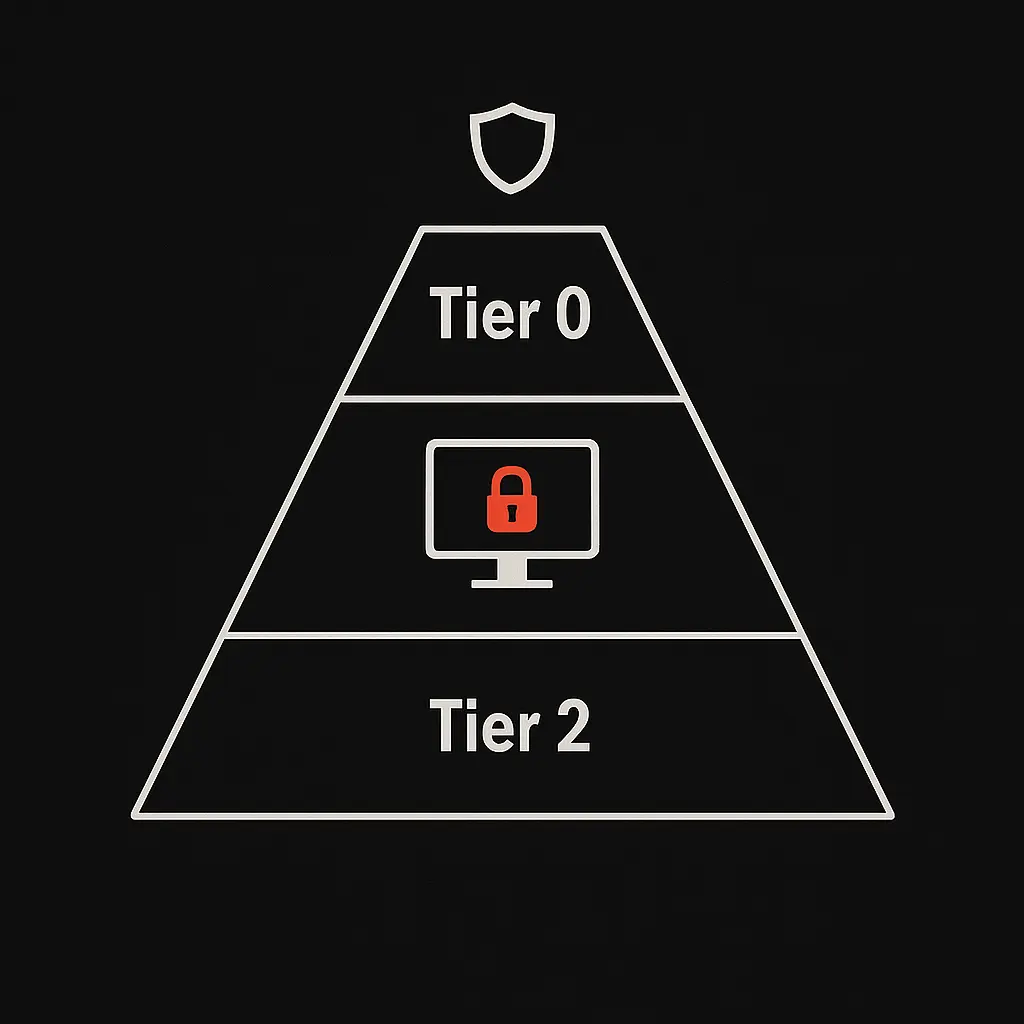
The PAW architecture is built on a tiered access model that segregates administrative control based on the sensitivity of the assets being managed. The principle is simple: you cannot use a lower-trust device to manage a higher-trust system. This prevents a compromise at a lower tier from escalating into a full-blown takeover of core infrastructure.
Tier 0: The Keys to the Kingdom
This is the highest level of trust in the environment. Tier 0 contains the most critical identity and security systems.
- Assets: Domain Controllers, Active Directory, identity services (like ADFS), and the Public Key Infrastructure (PKI).
- Admins: Enterprise Admins, Domain Admins, and other accounts with direct control over the identity fabric of the entire enterprise.
- Rule: Tier 0 systems can only be administered from a Tier 0 PAW. A compromise here means a full compromise of the entire environment.
Tier 1: Enterprise Servers and Applications
Tier 1 encompasses the majority of enterprise servers and applications that host company data and services.
- Assets: Application servers, database servers, cloud services, and virtualization platforms.
- Admins: Server administrators, database administrators, and cloud administrators.
- Rule: Tier 1 assets are managed from dedicated Tier 1 PAWs. These administrators have broad access but do not control the underlying identity systems of Tier 0.
Tier 2: End-User Devices
This tier represents the standard user environment and presents the highest risk of compromise from phishing, malware, and other common attack vectors.
- Assets: Desktops, laptops, and mobile devices used by the general workforce.
- Admins: Help desk staff and support technicians.
- Rule: Tier 2 assets are managed from Tier 2 PAWs. An administrator should never use their daily-driver workstation (a Tier 2 device) to log into a Tier 1 server or a Tier 0 domain controller.
Key Principles of a PAW Architecture
A successful PAW implementation goes beyond just using different machines. It relies on a set of robust security principles to create a truly secure environment.
- Physical or Logical Isolation: The strongest model uses dedicated physical hardware for PAWs. However, a well-configured virtual machine (VM) on a secured host can also provide effective logical isolation, creating a separate operating environment for privileged tasks.
- Host Hardening: PAWs must have a minimal attack surface. This includes removing unnecessary software (especially web browsers and email clients), implementing strict application whitelisting, enabling advanced threat protection, and ensuring the device is always compliant with the latest security baselines.
- Zero Trust Alignment: The PAW model is a perfect embodiment of Zero Trust principles. It enforces the concept of “never trust, always verify” by ensuring that access to a higher tier is only granted from a trusted, purpose-built device. It operates on a foundation of least privilege, giving administrators access only to the tools they need for their specific role.
Important Update: Microsoft’s Modern Guidance
While the principles behind PAWs remain as relevant as ever, Microsoft’s official guidance has evolved. The company has retired the standalone Enhanced Security Admin Environment (ESAE) and PAW prescriptive models. Instead, these concepts have been integrated into a broader, more holistic approach called the modern privileged access strategy and the Rapid Modernization Plan (RAMP).
This updated guidance expands the core PAW principles to align more closely with a comprehensive Zero Trust strategy, especially for cloud and hybrid environments. The modern approach emphasizes:
- Modern Device Security: Using cloud-native management like Microsoft Intune to enforce security baselines on all devices, including PAWs.
- Just-in-Time (JIT) and Just-Enough-Access (JEA): Moving away from standing privileges. JIT systems grant temporary administrative rights only when needed, while JEA constrains admins to performing only specific, allowed tasks.
- Strong Identity Protections: Enforcing phishing-resistant multi-factor authentication (MFA) for all administrative access.
- Cloud and Hybrid Scenarios: Applying these principles consistently across on-premises and cloud control planes (e.g., Microsoft Entra ID, Azure, AWS).
In short, PAWs are not obsolete. They are a critical component within a larger, more dynamic privileged access strategy. The focus has shifted from a rigid, network-based model to a flexible, identity-centric, and cloud-aware framework.
Conclusion: Your First Step
The threat of credential theft is not going away. Attackers will continue to target privileged accounts as their primary pathway to critical data. The PAW architecture, even in its most basic form, provides a powerful defense against the attack vectors used in nearly every major breach.
While the full modern privileged access strategy is the ultimate goal, the journey can start with a single step. If you are responsible for protecting admin credentials, the simplest and most effective starting point is to provision separate, hardened devices strictly for privileged access. By separating everyday tasks from administrative duties, you immediately build a wall that most attackers cannot climb.
Further Reading
- Microsoft Security Guidance - Privileged Access Workstations
- Microsoft’s Enhanced Security Admin Environment (ESAE) Retirement
The views expressed in this blog are my own, based on my knowledge, experience, and research. They don’t reflect my current or previous employers’ views.